
01MAKE A LITTLE LIST
Two columns. Your world.
A word and a translation. A concept and an explanation. Create term/definition pairs in a spreadsheet or text file.
A SMALL HABIT. YOUR OWN WORDS.
The dictionary is yours. The reminders are on us. Turn vocabulary, work terms and course notes into floating flashcards on your Windows desktop.
Free to use. No app account. Offline after installation.
Not another tab to remember.
A little space for what you want to learn.
Finding something good when you weren't looking for it.
Illustration with sample content, not a live app window.
A dictionary can be anything you want to remember.
01 / BRING YOUR OWN
No need to fit your learning into a preset word list. Your own content is the starting point, not an extra feature.
A word and a translation. A concept and an explanation. Create term/definition pairs in a spreadsheet or text file.
Choose your CSV, JSON or XLSX dictionary in the Windows app. Set the card position, text size and timing.
See short cards on your desktop between other things. Pause when you need to focus. Mark familiar cards as learned.
02 / A LITTLE TEST DRIVE
Try a sample deck, or paste your own CSV. This playground runs only in your browser. Nothing is uploaded or saved.
3 sample cards ready. Edit the text to make them yours.
Browser demo: CSV only, up to 50 cards and 100 KB. The desktop app also imports JSON and XLSX.
Temporary storage for frequently accessed data.
A website preview. Your installed app stays untouched.
03 / SMALL APP. REAL LIFE.
Choose what appears, when it appears, and what you already know. Your dictionaries and progress stay local.
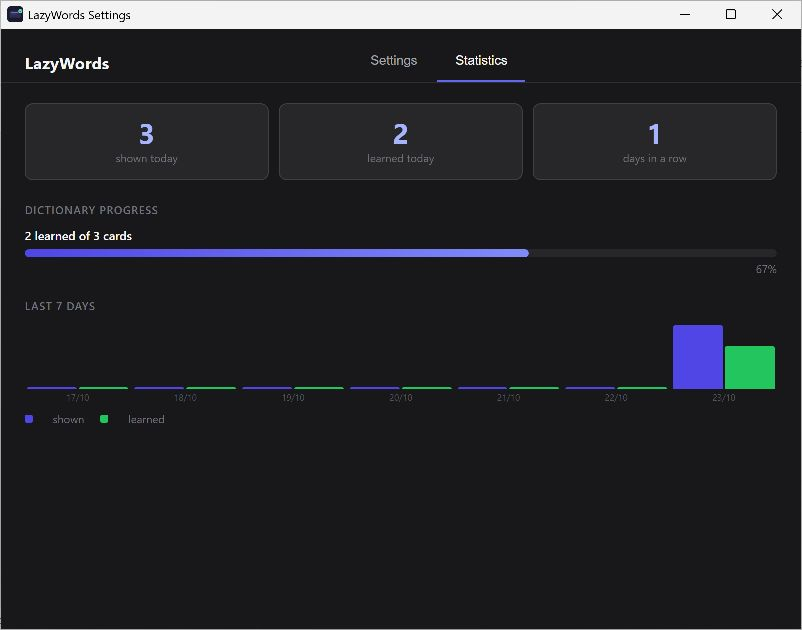
No app account. No cloud sync required. Works offline after installation.
A FEW GOOD QUESTIONS
Something else on your mind?
Join the Product Hunt discussion
Yes. Import a CSV, JSON or XLSX file with term and definition fields. Use vocabulary, professional terms, short course notes or another set of concise question-and-answer pairs. The built-in dictionaries are an optional starting point.
For CSV or a spreadsheet, name two columns term and definition, with one card per row. Save CSV as UTF-8. For JSON, use an array of objects with the same field names. Download the examples above to get started.
LazyWords is fully free, with no paid features or in-app purchases. No LazyWords account is required. The desktop app stores your dictionaries and progress locally and works offline after installation.
LazyWords is currently a Windows desktop app. The GitHub release offers x64 MSI and EXE installers and uses Microsoft Edge WebView2 Runtime. Microsoft Store is the recommended download option. There are no macOS or Linux releases yet.
No. LazyWords is a lightweight way to revisit your own material during the day, not a full spaced-repetition system or a replacement for active study. It does not promise learning without practice.
No. The CSV playground reads text or a selected file only in this browser tab. It does not upload it, save it to browser storage, or communicate with your installed app. Refreshing the page resets the demo. This website has no analytics or tracking scripts.
ONE SMALL PLACE TO START
Bring the words you want to keep close.
Let LazyWords make a little room for them.